Inventory and accounting software for small business has moved from a nice-to-have to a genuine operational requirement for companies that carry physical stock and need clean books at the same time. Too many owners still track inventory in one spreadsheet and revenue in another, and the two rarely agree by the time tax season rolls around. What Is Inventory and Accounting Software for Small Business? Why small business owners need combined inventory and accounting software for small business ? Which platform actually connects your stock counts to your general ledger without manual re-entry?
What Is Inventory and Accounting Software for Small Business?
Inventory and accounting software for small business is a platform that combines stock tracking with financial recordkeeping in a single system, so that every sale, purchase, or stock adjustment automatically updates your books. Instead of manually reconciling a separate inventory spreadsheet against your accounting ledger, the software does it in real time.
This matters because inventory is often a company’s largest current asset, and errors in tracking it can distort everything from cost of goods sold to your balance sheet. A retailer that undercounts stock, for example, may report inflated profits one quarter and a painful correction the next.
Most modern platforms in this category share a common architecture:
- Real-time syncing: Inventory changes reflect instantly in financial reports, so your numbers never fall out of step.
- Multi-location tracking: Businesses with a warehouse and a storefront can see stock levels across every site from one dashboard.
- Automated cost tracking: The software calculates cost of goods sold using methods like FIFO or average cost, rather than requiring manual journal entries.
- Purchase order automation: Reorder points trigger purchase orders before you actually run out of stock.
According to the U.S. Small Business Administration’s guidance on managing business finances, accurate, up-to-date recordkeeping is one of the core habits that separates businesses that survive their first five years from those that don’t. Combined inventory and accounting software is one of the more direct ways to build that habit into daily operations.
Why Owners Need Combined Inventory and Accounting Software for Small Business
Running inventory and accounting as two disconnected systems creates duplicate work and, more importantly, blind spots in decision-making. When the two are combined, you get a single source of truth for both operations and finance.
It is generally recommended to think of this as a data integrity problem rather than a convenience issue. When your inventory count and your accounting ledger live in separate tools, someone has to manually reconcile them, and manual reconciliation is where errors creep in. A missed transfer between systems can throw off your reported margins by a meaningful percentage without anyone noticing until the books close.
There’s also a tax dimension to consider. The Internal Revenue Service requires businesses that carry inventory to use specific accounting methods for valuing it, and those valuations feed directly into your reported taxable income. Software that automates this calculation reduces the risk of misreporting, which can be particularly useful when you’re preparing for an audit or simply trying to close your books faster each month.
Beyond compliance, there’s a growth argument. As order volume increases, manual inventory tracking becomes a bottleneck long before your accounting workload does. A company processing 50 orders a day can usually get by with spreadsheets; one processing 500 typically cannot.
Common reasons small businesses upgrade to combined platforms include:
- Reducing stockouts and overstock: Automated reorder alerts prevent both lost sales and tied-up cash.
- Improving financial accuracy: Fewer manual entries mean fewer reconciliation errors at month-end.
- Supporting multi-channel sales: Businesses selling on their website, in a store, and through marketplaces need one system tracking it all.
- Preparing for outside investment or loans: Lenders and investors expect clean, audit-ready financial statements.
Key Features to Look for in Inventory and Accounting Software for Small Business
The direct answer: prioritize real-time inventory syncing, multi-currency and multi-user support, automated bank feeds, tax compliance tools, and third-party integrations when evaluating inventory and accounting software for small business, since these features determine whether the platform will actually save you time versus create new manual work.
Not every business needs every feature, and it’s worth being honest about your actual workflow before comparing vendors. A service-based consultancy with no physical inventory has very different requirements than a company shipping products from three warehouses.
That said, a handful of capabilities tend to separate genuinely useful platforms from ones that look good in a demo but fall apart under real use. Bank feed automation, for instance, pulls transactions directly from your business checking account, which eliminates a huge share of manual data entry. Tax-ready reporting is another one worth checking carefully, since state-by-state sales tax rules can get complicated quickly for anyone selling across state lines.
A proper accounting software implementation should also account for how your team will actually be trained on the new system, since even the most feature-rich platform underperforms if staff default back to spreadsheets out of habit. Vendors that offer migration support, onboarding calls, or detailed documentation tend to see faster adoption internally.
Features worth prioritizing during evaluation:
- Real-time inventory syncing: Stock counts update instantly across every sales channel and warehouse location.
- Automated bank feeds: Transactions import directly from your bank, cutting down on manual entry.
- Multi-user access with permissions: Bookkeepers, accountants, and staff can each have appropriately limited access.
- Third-party integrations: Look for compatibility with payment processors, e-commerce platforms, and payroll tools.
- Scalable pricing tiers: The platform should support your business at its current size and as it grows.
Top 3 Best Inventory and Accounting Software for Small Business
Now, let’s talk about our top 3 best inventory and accounting software for small business. Here, we’re comparing these options, and for each one, we’ll go over what it is, its main features, and the various plans. You’ll also find a comprehensive review of each of the software programs we’re presenting here.
Sage 50 Accounting Software
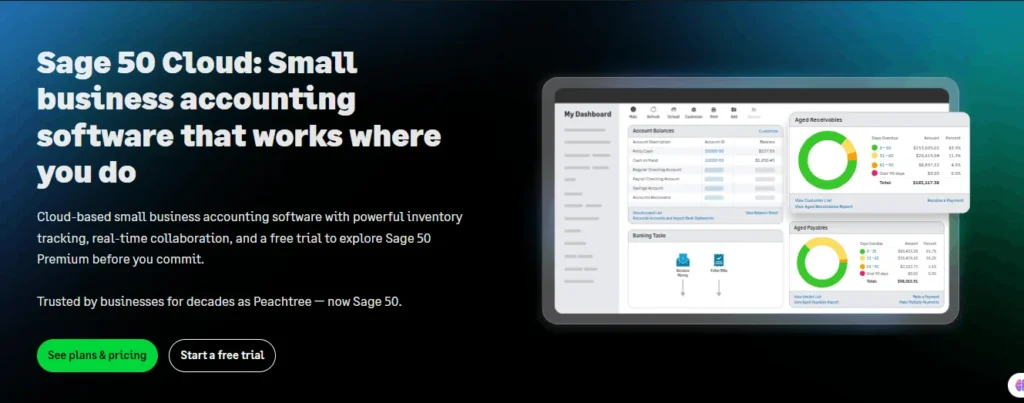
Let’s start with our first selection of inventory and accounting software for small business : Sage 50. Sage 50 is a long-established accounting platform aimed at small and mid-sized businesses that need desktop-grade accounting depth alongside inventory management, and it’s often chosen by companies with more complex bookkeeping needs than typical cloud-first tools are built for.
Sage has been a recognizable name in small business accounting for decades, and Sage 50 in particular carries forward a desktop-software heritage while adding cloud connectivity for remote access. It supports job costing, inventory valuation, and detailed financial reporting that tends to appeal to businesses with an in-house bookkeeper or outside accounting firm already familiar with the platform.
Where Sage tends to stand out is depth of reporting and audit trail functionality, which larger small businesses and light manufacturing companies often need. Where it tends to lose ground is in modern interface design and ease of onboarding compared with newer, cloud-native competitors.
Get Started with Sage NowSage 50 Pricing:
| Plan | Monthly Price | Users Included |
|---|---|---|
| Pro Accounting | $128.67/mo | 1 user |
| Premium Accounting | $182.50/mo | 1 user (multi-user available) |
| Quantum Accounting | $271.17/mo | 1 user (multi-user available) |
Pros:
- Strong inventory costing methods, including FIFO, LIFO, and average cost
- Deep job costing and manufacturing-oriented reporting
- Robust audit trail favored by accountants handling complex books
Cons:
- Higher entry price than most cloud-first competitors
- Steeper learning curve for first-time users
- Interface feels dated compared with Xero or Zoho
Who it’s for:
- Businesses with more complex inventory costing needs, such as light manufacturers
- Companies that already work with a bookkeeper or CPA experienced with Sage products
- Businesses that value deep reporting over a modern, minimal interface
Who should avoid it:
- Freelancers or solopreneurs with simple, single-user needs
- Businesses on a tight monthly software budget
- Teams that prioritize a fast, intuitive learning curve over reporting depth
Xero
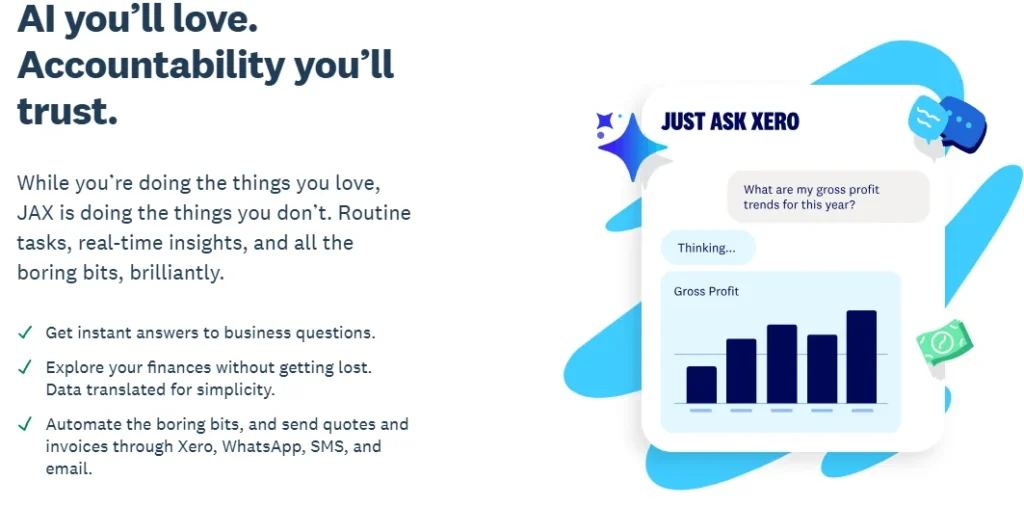
Here’s our second selection of inventory and accounting software for small business : Xero. Xero is a cloud-native accounting platform built for small businesses that want an easy financial foundation with room to add inventory, project tracking, and performance dashboards as they grow.
Xero has built its reputation on a genuinely clean interface and strong third-party app ecosystem, connecting to hundreds of tools ranging from payroll providers to e-commerce platforms. Inventory tracking is built into every plan, though the depth of what you get scales with the tier you choose. It is generally recommended for businesses that want cloud-first simplicity without sacrificing the ability to grow into more advanced features later.
One of the key factors to consider with Xero is that its entry-level plan intentionally covers only the basics, so businesses with more than a handful of inventory items or complex costing needs will likely need to step up to a higher tier fairly quickly.
Xero Pricing:
| Plan | Introductory Price (first 6 months) | Standard Monthly Price | Best For |
|---|---|---|---|
| Early | $2.50/mo | $25/mo | An easy financial foundation to track cash flow with the essentials |
| Growing | $5.50/mo | $55/mo | Automating tasks and accessing performance dashboards |
| Established | $9/mo | $90/mo | Future-proofing a scaling business with advanced tools and analytics |
Pros:
- Clean, modern interface with a genuinely short learning curve
- Extensive integration marketplace, including payroll and e-commerce apps
- Strong introductory pricing that eases the initial cost of adoption
Cons:
- Entry-level Early plan has meaningful limits on invoice and bill volume
- Inventory features are less specialized than dedicated inventory-first platforms
- Standard pricing after the introductory period is a noticeable jump
Who it’s for:
- Growing businesses that want a scalable cloud platform from day one
- Teams that value integrations with e-commerce and payroll tools
- Owners who want dashboards and analytics without a steep setup process
Who should avoid it:
- Businesses needing advanced manufacturing-level inventory costing
- Companies unwilling to budget for the price increase after six months
- Businesses that need heavy customization of financial reports
Zoho Books
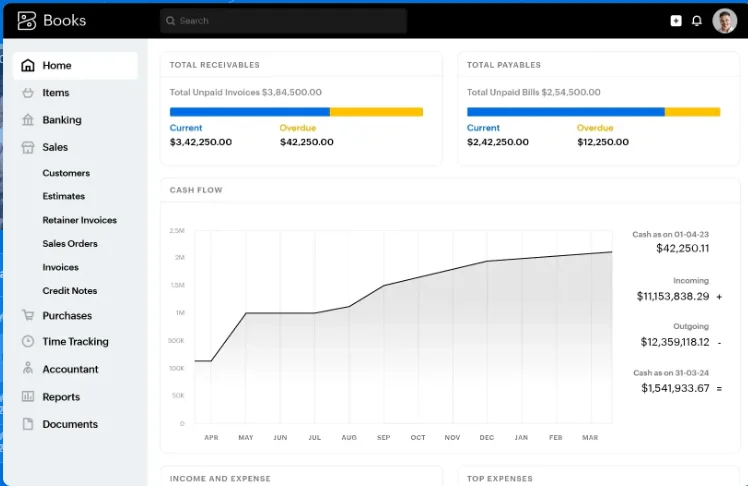
Let’s finish with Zoho Books, a cloud accounting platform built for inventory and accounting software for small business. Zoho is adapted for small businesses that needs billing flexibility, particularly companies managing both one-time and subscription-based revenue streams alongside standard bookkeeping.
Zoho’s broader software ecosystem is one of its biggest advantages: Zoho Books connects natively with Zoho Inventory, Zoho CRM, and dozens of other Zoho products, which can be particularly useful for businesses already using Zoho tools elsewhere in their operations. Even standalone, it offers solid automation for recurring invoices, expense tracking, and client portals.
Compared with Sage and Xero, Zoho tends to be the more budget-conscious cloud option at its entry tier, while still offering enough depth for businesses with mixed billing models. This can be a strong avenue for proposal software for accountants looking to bundle client-facing tools with backend bookkeeping in one connected ecosystem.
Zoho Books Pricing:
| Plan | Monthly Price | Best For |
|---|---|---|
| Standard | $29 per organization/mo | Businesses with one-time billing requirements |
| Premium | $69 per organization/mo | Businesses with one-time and subscription billing requirements |
Pros:
- Strong native ecosystem for businesses already using other Zoho products
- Competitive pricing relative to feature depth
- Solid support for both one-time and recurring/subscription billing
Cons:
- Full inventory functionality often requires the separate Zoho Inventory product
- Fewer third-party (non-Zoho) integrations than Xero
- Some advanced features are locked behind higher-tier plans
Who it’s for:
- Subscription-based businesses managing recurring billing alongside standard sales
- Companies already invested in the broader Zoho software ecosystem
- Budget-conscious businesses that still want solid automation
Who should avoid it:
- Businesses that need robust standalone inventory tracking without adding another Zoho product
- Teams that rely heavily on non-Zoho integrations
- Companies wanting a single flat price rather than per-organization tiered billing
Sage vs. Xero vs. Zoho: Side-by-Side Comparison
Choosing between Sage, Xero, and Zoho largely comes down to how complex your inventory needs are, how many users need access, and whether you’re already using tools from one of these ecosystems.
| Factor | Sage 50 | Xero | Zoho Books |
|---|---|---|---|
| Starting Price | $128.67/mo | $2.50/mo (intro), then $25/mo | $29/mo per organization |
| Inventory Depth | Advanced (FIFO/LIFO/average cost) | Moderate, scales with tier | Requires Zoho Inventory add-on for full depth |
| Best For | Complex costing, light manufacturing | Growing businesses wanting cloud simplicity | Mixed billing models, Zoho ecosystem users |
| Learning Curve | Steeper | Easier | Easier |
| Multi-User Support | Available on higher tiers | Included on all plans | Included, tiered by plan |
As the table shows, there’s a fairly clear tradeoff between depth and simplicity. Sage offers the most granular inventory costing but at a meaningfully higher entry price, while Xero and Zoho compete more directly on affordability and ease of use, with Zoho leaning toward businesses that need flexible billing structures.
Who Should Use Inventory and Accounting Software for Small Business
Inventory and accounting software for small business is best suited to companies that carry physical stock, sell across multiple channels, or have outgrown manual spreadsheet tracking, while service-only businesses with no inventory may only need standard accounting software.
Retailers, e-commerce sellers, distributors, and light manufacturers tend to see the fastest return on this kind of investment, since inventory errors directly affect their reported profitability. Businesses with seasonal demand swings also benefit, since automated reorder points help avoid both stockouts during peak season and excess holding costs during slow periods.
- Who it’s for: Retailers and e-commerce sellers managing multiple SKUs; distributors coordinating stock across warehouses; light manufacturers tracking raw materials and finished goods; growing businesses preparing for outside financing.
- Who should avoid it: Freelancers and consultants with no physical inventory; very early-stage businesses with minimal transaction volume; companies whose current spreadsheet system genuinely meets their needs without errors.
Specialized industries have their own considerations worth flagging here as well. A company offering landscaping accounting software to seasonal crews, for example, needs job costing and equipment tracking more than complex multi-warehouse inventory valuation. Similarly, a real estate fund accounting software buyer is usually less concerned with physical stock and more focused on investor reporting, capital calls, and fund-level financial statements, which none of the three platforms above are purpose-built to handle at an institutional level.
Common Mistakes When Choosing Accounting Software for Small Business
The most common mistake business owners make is choosing accounting software for small business based on price alone, without accounting for how much manual work the platform will still require once inventory, taxes, and integrations are factored in.
A cheaper plan that lacks proper inventory syncing often ends up costing more in staff time than a pricier plan that automates the same work. This is particularly true for businesses that scale quickly and outgrow their entry-tier plan within the first year, triggering a disruptive mid-year migration.
Other frequent missteps include underestimating the learning curve for staff, skipping a proper data migration plan, and failing to check whether existing tools like a payment processor or e-commerce store actually integrate cleanly with the new platform.
- Choosing on price alone: Cheaper plans sometimes shift manual work back onto your team.
- Skipping migration planning: Moving historical inventory and financial data poorly leads to reconciliation headaches later.
- Ignoring integration compatibility: A platform that doesn’t connect to your existing sales channels creates new manual bottlenecks.
- Underestimating training time: Staff resistance to a new system often outweighs the software’s actual limitations.
How to Approach Accounting Software Implementation
A successful accounting software implementation generally follows a structured rollout rather than a single switchover, starting with data migration, followed by parallel testing, staff training, and a defined cutover date.
- Audit your current data: Clean up duplicate vendors, outdated inventory items, and unreconciled transactions before migrating anything.
- Migrate historical records: Import at least the current fiscal year’s transactions so your reporting stays continuous.
- Run both systems in parallel: For two to four weeks, keep your old system running alongside the new one to catch discrepancies.
- Train staff on new workflows: Even intuitive platforms need dedicated training time, particularly for inventory adjustments and reporting.
- Set a firm cutover date: Once parallel testing confirms accuracy, retire the old system fully to avoid confusion.
This point will become clearer shortly, but it’s worth noting that most implementation failures aren’t caused by the software itself; they’re caused by skipping the parallel testing phase in favor of a faster switchover.
Industry-Specific Software Considerations
Not every business fits neatly into general-purpose inventory and accounting software for small business, and certain industries are better served by niche platforms built around their specific workflows.
Service-heavy fields, for instance, often need tools built around proposals, estimates, and client communication rather than stock-keeping units. As mentioned above, proposal software for accountants can bridge the gap between client-facing sales documents and the accounting backend, which general platforms like Sage, Xero, or Zoho don’t specialize in out of the box.
Seasonal and field-service businesses have their own quirks too. Landscaping accounting software typically needs to handle crew scheduling, job costing per property, and equipment depreciation, which general accounting platforms handle only partially. And for businesses managing pooled investor capital, real estate fund accounting software needs to track capital contributions, distributions, and fund-level performance reporting, an entirely different category from retail inventory management.
Frequently Asked Questions About inventory and accounting software for small business
Is inventory and accounting software for small business worth the cost?
For most businesses that carry physical stock, inventory and accounting software for small business tends to pay for itself through reduced manual errors, faster month-end closes, and better visibility into what’s actually selling. The value is highest for businesses managing multiple SKUs or sales channels, where manual tracking becomes error-prone as volume grows. Service-only businesses with minimal inventory may not see the same return and could be better served by standard accounting software without inventory features. It’s generally worth calculating the hours your team currently spends reconciling inventory manually and comparing that against the monthly subscription cost before deciding.
Can I switch between Sage, Xero, and Zoho without losing my data?
Most inventory and accounting software for small business supports data export and import through standard file formats like CSV, but the ease of migration varies by platform and by how much historical data you’re moving. It’s generally recommended to export your chart of accounts, customer and vendor lists, and at least the current fiscal year’s transactions before switching providers. Some data, like detailed audit trails or historical inventory adjustments, may not transfer cleanly and could require manual re-entry. Working with an accountant familiar with your target platform can reduce the risk of errors during the transition.
Do I need separate inventory software if I already use accounting software?
It depends on how complex your inventory needs are relative to what your accounting platform natively supports. Xero and Sage 50 include inventory tracking directly, while Zoho Books often requires pairing with Zoho Inventory for full functionality. If your business manages multiple warehouses, bundled kits, or complex costing methods, a dedicated inventory and accounting software for small business combination, rather than accounting software alone, is usually the safer choice. Businesses with very simple, low-volume inventory may find the built-in features sufficient without an add-on.
How does inventory valuation affect my taxes?
The IRS requires businesses that maintain inventory to use a consistent valuation method, such as FIFO, LIFO, or weighted average cost, and this valuation directly affects your reported cost of goods sold and taxable income. Inventory and accounting software for small business automates these calculations, reducing the risk of manual errors that could trigger discrepancies during an audit. Switching valuation methods generally requires IRS approval, so it’s worth choosing carefully at the outset rather than changing methods later. Consulting a tax professional before your first filing under a new system is generally recommended.
Is my financial data secure with cloud-based accounting platforms?
Reputable cloud inventory and accounting software for small business providers generally follow recognized cybersecurity frameworks to protect financial data, including encryption in transit and at rest, along with regular security audits. The National Institute of Standards and Technology publishes cybersecurity guidance that many software vendors align their practices with, even outside regulated industries. When evaluating inventory and accounting software for small business, it’s worth checking whether the provider publishes information about its security certifications, backup practices, and data breach response procedures. Enabling multi-factor authentication on your account adds an additional layer of protection regardless of which platform you choose.
How much should a small business budget for accounting software?
Budgets vary widely depending on inventory complexity and user count, ranging from roughly $25 per month for a basic cloud plan to well over $270 per month for advanced multi-user platforms like Sage 50 Quantum. Inventory and accounting software for small business pricing typically scales with the number of users, transaction volume, and depth of inventory features required. It’s generally recommended to start with the lowest tier that meets your current needs, since most platforms allow upgrading as your business grows rather than requiring a full migration. Factor in potential price increases after introductory periods, which several providers apply after the first six months.
What’s the difference between accounting software and inventory software for small business?
Here’s the difference between inventory and accounting software for small business. Accounting software for small business focuses on financial recordkeeping, including invoicing, expense tracking, and tax reporting, while inventory software for small business focuses specifically on tracking stock levels, purchase orders, and warehouse locations. Combined inventory and accounting software for small business merges both functions so that stock changes automatically reflect in your financial reports without manual reconciliation. Businesses without physical inventory generally only need the accounting component, while those managing stock benefit more from a unified platform. Many providers, including Sage, Xero, and Zoho, offer both as either bundled features or connected add-on products.
Let’s conclude
To summarize, choosing the right inventory and accounting software for small business comes down to matching platform depth to your actual inventory complexity and budget. Sage 50 suits businesses with advanced costing needs and existing accountant relationships, Xero fits growing companies wanting cloud-first simplicity, and Zoho Books works well for businesses with mixed billing models or an existing Zoho footprint. Ultimately, the right choice reduces manual reconciliation work rather than adding to it, so it’s worth testing each provider’s free trial against your real transaction volume before committing to a full accounting software implementation.