
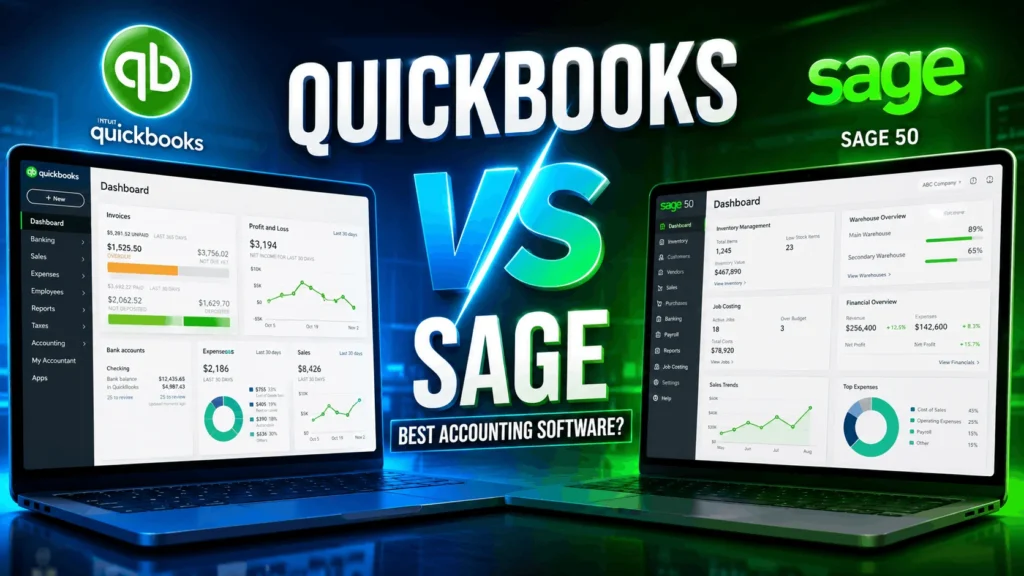
Sage accounting vs QuickBooks is one of the first questions almost every small business owner runs into once spreadsheets stop cutting it. Both platforms handle invoicing, expense tracking, bank reconciliation, and financial reporting, yet they’re built for genuinely different kinds of businesses. Which one actually fits your operation? Does the extra complexity of one pay off? And where does the money really go once you factor in add-ons? This guide walks through both platforms so you can decide with confidence.
Sage Accounting vs QuickBooks: Quick Comparison Snapshot
Sage accounting vs QuickBooks comes down to a simple tradeoff: QuickBooks favors speed and simplicity, while Sage favors depth and control. QuickBooks gets a growing business up and running in an afternoon. Sage 50 asks for more setup time upfront but rewards you with sharper inventory and job-costing tools later on.
That tradeoff shows up clearly once you line the two platforms up side by side.
| Category | QuickBooks | Sage 50 |
|---|---|---|
| Best for | Startups, freelancers, service businesses | Product-based, project-based, and growing businesses |
| Ease of use | Very easy, minimal training | Moderate, some accounting knowledge helps |
| Pricing | Lower entry cost, month-to-month | Higher entry cost, annual commitment |
| Inventory | Basic | Advanced, multi-warehouse capable |
| Reporting | Standard, customizable in higher tiers | Highly customizable, 150+ report templates |
| Integrations | 750+ connected apps | Fewer, but built for deeper enterprise workflows |
| Deployment | Cloud-based (QuickBooks Online) or desktop | Desktop with cloud connectivity |
Neither platform is objectively “better” in a vacuum. The right pick depends on how complex your books already are, and how complex you expect them to get.
Throughout this guide, we’ll break sage accounting vs quickbooks down by pricing, features, inventory, ease of use, and support, so you can weigh each factor against your own operation rather than relying on a single headline verdict. As we’ll see in the next few sections, the gap between the two platforms widens considerably once inventory and job costing enter the picture.
What Is QuickBooks, and Who Is It Built For?
In any sage accounting vs quickbooks discussion, QuickBooks usually comes up first simply because of how widely it’s used. It’s an accounting software solution designed to simplify financial management for businesses of nearly any size, from solo freelancers up through large enterprises. It’s the accounting platform most American small business owners have already heard of, and for good reason.
QuickBooks Online is Intuit’s cloud-based product, accessible from any browser with an internet connection. It’s designed for small businesses that want financial visibility without dedicated IT infrastructure sitting behind it. QuickBooks Desktop Enterprise, meanwhile, is a locally installed option built for growing, mid-sized to large, product-based businesses that need heavier inventory and reporting muscle.
What makes QuickBooks stand out is accessibility. Bank feeds connect quickly, transactions categorize themselves automatically, and invoicing takes minutes rather than hours. Because so many accountants and bookkeepers already know the platform inside and out, onboarding outside help is rarely a headache.
On the QuickBooks side of sage accounting vs quickbooks, a few features tend to come up most often:
- Automatic bank syncing: transactions from linked bank and credit card accounts flow in automatically, cutting down on manual entry.
- Custom invoicing: you can create and send branded invoices from any device, with online payment options built in.
- Tax deduction finder: QuickBooks flags potential deductions automatically, which can be particularly useful for owners without a dedicated bookkeeper.
- Mobile app access: every plan includes a free mobile app so you can manage the books away from a desk.
- Priority Circle support: Online Advanced and Enterprise subscribers get premium training and access to dedicated care specialists.
QuickBooks Online Advanced also brings a Custom Report Builder and Spreadsheet Sync for teams that live in Excel, along with basic job-costing features that give real-time profitability insight per project. It is generally recommended for owners who want to be sending their first invoice the same day they sign up.
QuickBooks Desktop Enterprise deserves a separate mention here too. It’s built for growing, mid-sized to large, product-based businesses that need more inventory and reporting horsepower than QuickBooks Online offers, while keeping the same familiar interface. Intuit stopped selling new Desktop Pro Plus and Premier Plus subscriptions in September 2024, which means Enterprise is now the only ongoing desktop path within the QuickBooks product line. That’s worth knowing if you’re comparing quickbooks pricing against older desktop quotes you may have seen elsewhere.
What Is Sage Accounting, and Who Is It Built For?
On the other side of sage accounting vs quickbooks, Sage takes a different approach entirely: it prioritizes depth over speed. Sage helps businesses manage operations, people, payroll, and payments, with solutions built for different business sizes and industries, whether that means running fully in the cloud, on a local desktop, or some mix of both.
For most small and mid-sized businesses, the relevant product is Sage 50, a desktop accounting solution with limited cloud connectivity — remote data access and cloud backups, for instance — designed specifically for businesses that need more financial control than an entry-level tool provides.
Sage’s usability varies depending on which tier you land in. The learning curve is steeper than QuickBooks, and that complexity exists for a reason: deeper customization, more granular controls, and precision reporting that project-heavy businesses actually use. It should be noted that Sage assumes a bit more accounting familiarity than QuickBooks does, so a dedicated bookkeeper or controller tends to get more value out of it.
When people search sage accounting vs quickbooks specifically looking for Sage’s strengths, these are usually the features that come up first. Sage 50’s standout capabilities include:
- Advanced inventory tracking: supports multiple costing methods and detailed stock management across product lines.
- Job costing and audit trails: available on Premium and higher tiers, useful for construction and manufacturing businesses tracking project-level costs.
- Over 150 built-in report templates: including reports tailored to construction, manufacturing, and distribution work.
- Role-based permissions: Quantum Accounting adds workflow management and user-level access controls for larger accounting teams.
- Unlimited North American phone support: included across all Sage 50 pricing plans, along with a 24/7 knowledge base and access to Sage University.
Sage accounting performs strongest for businesses where financial complexity ties back to physical operations: multiple locations, detailed inventory, or project-based billing that a simpler tool can’t keep up with.
It’s worth noting that Sage’s broader family includes other tiers beyond Sage 50, built for larger organizations that need multi-entity consolidation and enterprise-grade financial controls. For most small and mid-sized businesses working through a sage accounting vs quickbooks decision, though, Sage 50 is the relevant comparison point, since it’s priced and positioned for the same general market QuickBooks serves.
Sage Accounting vs QuickBooks: Pricing Plans Compared
Sage accounting vs quickbooks pricing looks very different once you get past the marketing pages, and this is usually where the decision starts to feel real for a small business owner working with a tight budget. QuickBooks publishes its pricing openly and lets you sign up without any commitment period, while Sage 50 requires an annual contract and a noticeably higher starting price.
QuickBooks Online plans currently start with Simple Start and scale up through Essentials, Plus, and Online Advanced, with Desktop Enterprise available for larger, product-based businesses. Confirm current figures directly on Intuit’s pricing page, since both vendors adjust pricing periodically.
| Plan | QuickBooks Online | Sage 50 |
|---|---|---|
| Entry tier | Simple Start (from ~$3.80/mo promotional rate) | Pro Accounting (from $60.08/mo) |
| Mid tier | Essentials / Plus | Premium Accounting ($103.92–$239.17/mo, by user count) |
| Top tier | Online Advanced (~$34/mo promotional rate) | Quantum Accounting (from $177.17/mo, up to 40 users) |
| Desktop option | Desktop Enterprise (from $1,703/yr) | All Sage 50 tiers are desktop-based |
| Commitment | No annual contract required | Annual commitment required on every tier |
A sage 50 accounting vs quickbooks comparison at the entry tier makes this gap even clearer, since Sage’s pricing reflects the fact that you’re generally getting more built-in depth per tier. The higher subscription and setup cost buys month-end speed and controls that a growing finance team ends up using every day. QuickBooks, on the other hand, wins on transparency and lets you scale spend up gradually as your needs change, which matters if you’re bootstrapping.
It’s generally recommended to add up the full cost picture before comparing sage accounting pricing against quickbooks pricing on sticker price alone. Sage 50’s per-user costs climb quickly on the Premium and Quantum tiers, while QuickBooks’ add-ons for payroll, time tracking, and payments can push its effective monthly cost closer to Sage’s than the entry-level number suggests.
This is where sage accounting vs quickbooks pricing gets a little more nuanced than the headline numbers imply. A five-person team on Sage 50 Premium, for example, can land in a similar monthly range as a QuickBooks Online Advanced subscription once you factor in payroll and payments add-ons on the QuickBooks side. The real difference isn’t always the dollar amount so much as the contract structure: Sage locks you in annually, while QuickBooks lets you scale a subscription up or down as your headcount changes.
Sage Accounting vs QuickBooks: Features That Matter Most
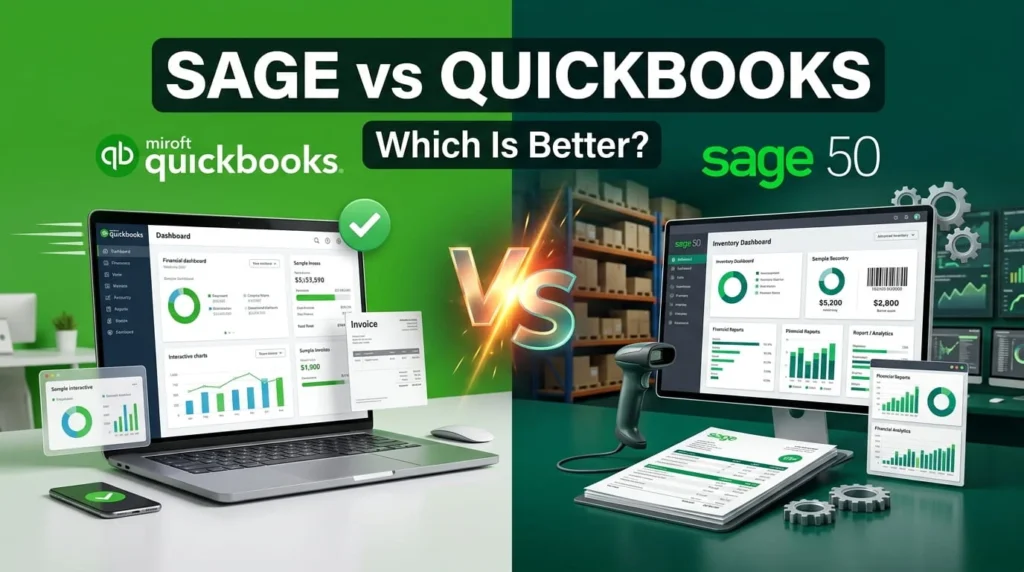
Sage accounting vs QuickBooks features overlap on the basics but diverge sharply once you look at invoicing, payroll, and reporting depth. QuickBooks leans toward automation and ease; Sage leans toward customization and control.
Invoicing. QuickBooks offers fully customizable invoices with built-in online payments and recurring billing on every plan tier. Sage handles basic invoicing well, though recurring invoices require stepping up to a paid Pro-level plan or higher.
Expense tracking. QuickBooks automates categorization and offers receipt scanning through its mobile app, syncing transactions from linked accounts in real time. Sage supports expense tracking too, but it generally involves more manual input unless you’re on a higher tier with audit-trail features enabled.
Payroll. QuickBooks integrates payroll add-ons directly into its core plans, making it simple to run payroll without leaving the platform. Sage’s payroll options are more limited on their own, though the platform can connect to dedicated HR and payroll modules for businesses that need that functionality.
Reporting. This is one of the clearer sage accounting features to point to: QuickBooks provides standard reports with more advanced budgeting and forecasting tools unlocked in Online Advanced and Enterprise. Sage takes reporting further out of the gate, offering real-time financial and operational dashboards you can customize to prioritize whatever metrics matter to your team that month.
This is the part of sage accounting vs quickbooks that a lot of comparison articles gloss over, but getting these features configured correctly the first time matters more than it seems. A rushed business accounting software implementation tends to create cleanup work down the line, whether that means miscategorized transactions in QuickBooks or an inventory costing method in Sage that doesn’t match how your warehouse actually operates. Taking the time to map your chart of accounts and workflows before go-live pays off for years afterward.
This is one area where sage accounting vs quickbooks features stop being an abstract comparison and start affecting your day-to-day. A service business running payroll weekly benefits more from QuickBooks’ built-in payroll automation, while a contractor tracking costs across a dozen active jobs gets more mileage out of Sage’s audit trails and job-costing depth, even if the initial setup takes longer.
Inventory Management: Sage vs QuickBooks
Inventory management is where sage accounting vs quickbooks stops being a close call for a lot of businesses, and it’s the category most likely to actually decide the outcome. Sage 50 supports multiple warehouses, several costing methods including FIFO, reorder points, and landed cost capture — tools genuinely built for product-based operations with real supply chain complexity.
QuickBooks Online Plus tracks quantity on hand, generates purchase orders, and sends low-stock alerts, which covers most straightforward retail and e-commerce needs. QuickBooks Online Advanced improves reporting on top of that but doesn’t add a full order management layer, so businesses running complex routing or multi-site fulfillment often end up needing a connected app anyway.
Here’s how sage accounting vs quickbooks stacks up for physical inventory specifically:
- Multi-warehouse tracking: Sage handles this natively; QuickBooks generally needs a third-party integration for multi-location complexity.
- Costing methods: Sage supports FIFO and other methods out of the box; QuickBooks’ inventory costing is more limited by comparison.
- Order management: Sage pairs with dedicated order management tools for quotes, allocations, and returns; QuickBooks covers basic purchase orders well.
- Reorder alerts: both platforms flag low stock, though Sage ties this into broader supply chain reporting.
If your business is evaluating the best inventory and accounting software for small business operations with real physical stock to manage, Sage 50 tends to edge ahead for multi-site or complex order flows, while QuickBooks remains the more practical pick for straightforward stock tracking without a full warehouse operation behind it. According to the U.S. Small Business Administration, inventory mismanagement is one of the more common cash flow problems small businesses run into, which is a good reason to weigh this category carefully rather than as an afterthought.
Ease of Use and Setup
Sage accounting vs QuickBooks usability isn’t close for most first-time users. QuickBooks is built so a business owner without formal accounting training can get comfortable within a few hours. Sage assumes more familiarity with accounting concepts from the start.
In terms of sage accounting vs quickbooks setup speed, most business owners can connect a bank account and send their first invoice on QuickBooks the same day they sign up. Setup for Sage 50, particularly on the Premium and Quantum tiers, more often benefits from a consultant or an experienced bookkeeper walking through the configuration, since the platform’s depth means there are more settings to get right the first time.
That doesn’t make Sage worse, just different. A construction firm juggling job costing across a dozen active projects benefits from features QuickBooks simply doesn’t offer at comparable pricing. The extra ramp-up time is the cost of that added control.
As noted above, sage accounting vs quickbooks ease of use isn’t a fixed scorecard; it shifts depending on who’s actually sitting behind the keyboard. A first-time business owner without a bookkeeper will almost always find QuickBooks faster to learn, while an experienced finance team may prefer Sage’s depth from day one, even with the steeper onboarding curve.
A few practical sage accounting vs quickbooks setup differences worth knowing:
- Bank connections: QuickBooks connects most major U.S. banks in minutes; Sage supports this too, though it’s less central to daily workflow on the desktop product.
- Chart of accounts: QuickBooks offers industry-specific templates during onboarding; Sage generally requires more manual customization.
- User roles: Sage’s Quantum tier offers granular role-based permissions right away; QuickBooks builds this out more fully in Online Advanced.
- Data migration: both platforms support importing from spreadsheets or competing software, though Sage migrations more often involve outside help.
Integrations, Support, and Scalability
Sage accounting vs quickbooks integrations reflect each platform’s target audience, and this is one more area where the underlying customer base shapes the product. QuickBooks connects to a massive app ecosystem covering CRM, e-commerce, and payment processing, with over 750 connected apps at last count. Sage’s integration marketplace is smaller but leans toward enterprise and industry-specific tools, which fits its more specialized customer base.
Support is another piece of sage accounting vs quickbooks worth factoring in early, since it affects how quickly problems actually get resolved. QuickBooks offers phone and live chat six days a week, with Priority Circle available for Enterprise and Online Advanced subscribers who want premium training access. Sage offers unlimited North American phone support across every Sage 50 tier, alongside Sage Support Central, a 24/7 knowledge base, and an active community forum.
Both platforms scale, just along different paths, which is another point where sage accounting vs quickbooks comes down to how your team already works rather than which product is more advanced on paper. QuickBooks scales horizontally through its own add-on modules — payroll, time tracking, payments — layered onto the core plan you’re already on. Sage scales vertically, with each tier from Pro through Quantum unlocking deeper functionality for larger, more complex accounting teams.
For businesses that eventually outgrow either platform’s desktop constraints, cloud-hosted alternatives such as Xero or Zoho Books are worth a look, and businesses with more complex operational needs sometimes migrate toward platforms like Odoo that bundle accounting with broader business management tools. None of that changes the core Sage-versus-QuickBooks decision most small businesses are actually weighing, though — it’s simply useful context if either platform stops fitting down the line.
Who Should Choose Sage Accounting?
Sage accounting vs quickbooks tends to tilt toward Sage once financial complexity becomes the norm rather than the exception. Think manufacturers, wholesale distributors, construction contractors managing multiple active jobs, or any product-based business with inventory spread across more than one location.
Controllers and finance teams get dimensions, detailed job costing, and audit trails that hold up under closer scrutiny. If your month-end close still depends on spreadsheet exports and manual reconciliation, Sage’s built-in reporting can genuinely bring that process back in-house.
Within sage accounting vs quickbooks, Sage tends to be the stronger fit if you want:
- Advanced inventory depth across multiple warehouses or locations.
- Detailed job costing for project-based billing and resource tracking.
- Granular reporting built for construction, manufacturing, or distribution work.
- Role-based access controls for larger accounting teams.
If any of those points sound like your business today, sage accounting vs quickbooks starts to lean noticeably toward Sage, even accounting for the steeper price and learning curve.
Who Should Choose QuickBooks?
Sage accounting vs quickbooks tips clearly toward QuickBooks for businesses that want to start today and send their first invoice before the end of the day. Service-based companies, digital agencies, freelancers, and retailers with manageable inventory are almost always better served by QuickBooks’ shorter setup time and larger network of QuickBooks-certified bookkeepers and accountants.
Owners who sell through online marketplaces, contractors tracking straightforward job costs, and agencies billing retainers all tend to land comfortably in QuickBooks Plus. Essentials fits service shops that mainly need bill pay and basic time tracking, while Advanced suits teams that live in Excel and want custom user roles.
On the other side of sage accounting vs quickbooks, QuickBooks is generally the better call if you want:
- Fast, DIY setup without hiring a consultant.
- Lower entry pricing with no annual commitment required.
- A large integration ecosystem covering CRM, payments, and e-commerce.
- Straightforward inventory tracking without multi-warehouse complexity.
For accounting software for small business owners without dedicated finance staff, this is usually the more forgiving starting point, and you can always reassess as operations grow more complex.
Is Sage Better Than QuickBooks? Making the Final Call
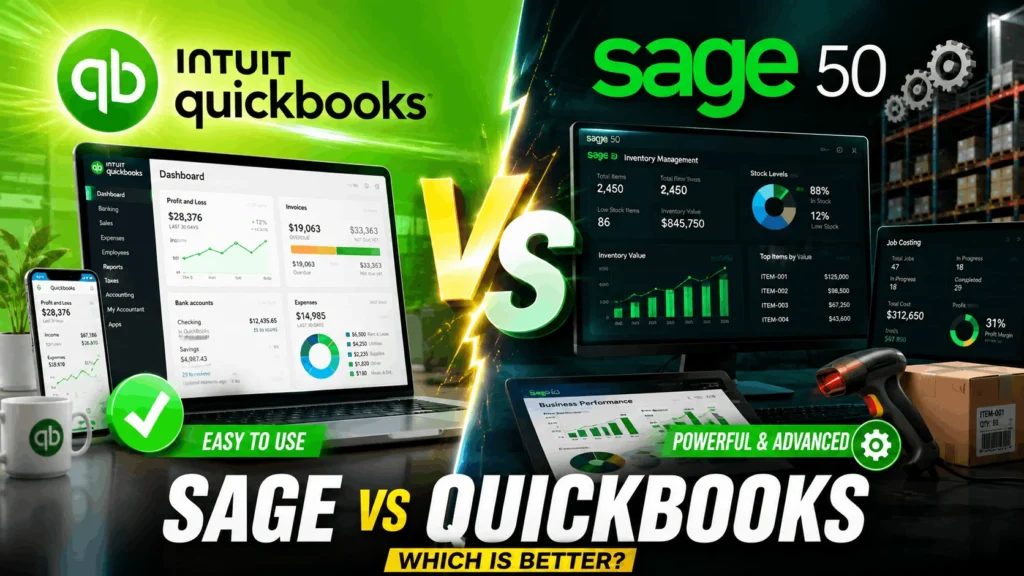
Is sage better than quickbooks? Not universally — it depends entirely on how complex your business already is, and how complex you expect it to become over the next couple of years. Sage accounting vs QuickBooks isn’t a contest with one permanent winner; it’s a matter of matching the platform to your actual operations rather than an aspirational future state.
Businesses frequently migrate from QuickBooks to Sage as inventory management and job-costing requirements start to exceed what QuickBooks handles comfortably. The reverse happens too — some businesses that started on Sage find its depth is more than they need and move toward a simpler platform.
As the Federal Trade Commission notes in its general guidance on business software and subscription services, it’s worth reading the terms of any annual commitment carefully before signing, since cancellation terms and pricing structures vary by vendor.
Sage Accounting Review: Pros and Cons
A quick sage accounting review has to start with what the platform does well: depth. Sage 50 gives product-based and project-based businesses tools that QuickBooks simply doesn’t match at comparable pricing, though that depth comes with real tradeoffs worth weighing before you commit to an annual contract. Anyone weighing sage accounting vs quickbooks purely on features should read this section closely before signing anything.
Pros:
- Advanced inventory and job costing built directly into Premium and Quantum tiers.
- Over 150 report templates, including industry-specific options for construction and manufacturing.
- Unlimited North American phone support on every plan tier.
- Strong audit trails that hold up for businesses facing closer financial scrutiny.
Cons of sage accounting vs quickbooks on the Sage side:
- Annual commitment required on every Sage 50 tier, with no month-to-month flexibility.
- Steeper learning curve that often benefits from a consultant during setup.
- Higher entry pricing compared to QuickBooks at similar user counts.
- Smaller integration marketplace than QuickBooks’ broader app ecosystem.
Who it’s for:
- Manufacturers, wholesalers, and construction businesses with complex inventory or job costing needs.
- Finance teams with existing accounting experience who can work with a more demanding interface.
- Businesses running multiple locations that need consolidated, detailed reporting.
Who should avoid it:
- Freelancers or solo owners who need something simple within an hour of signing up.
- Businesses that can’t commit to an annual contract right now.
- Teams without any dedicated bookkeeper or accounting background.
QuickBooks Review: Pros and Cons
A fair quickbooks review has to acknowledge both sides too, even for a platform this widely used. QuickBooks earns its reputation for accessibility, but it isn’t the right fit for every business, particularly ones with heavier inventory or job-costing needs. Building on what we established in the previous section, sage accounting vs quickbooks review comparisons tend to favor QuickBooks specifically on speed and cost predictability.
Pros:
- Fast, intuitive setup that most owners can complete without any accounting background.
- No annual commitment on standard subscription plans, so costs stay flexible.
- 750+ app integrations, covering CRM, e-commerce, and payment processing.
- Large network of QuickBooks-certified bookkeepers available for outside help.
Cons of sage accounting vs quickbooks on the QuickBooks side:
- Inventory tools are basic compared to Sage, particularly for multi-warehouse operations.
- Job costing requires Online Advanced or Enterprise for meaningful depth.
- Add-on costs add up once you layer on payroll, time tracking, and payments.
- Desktop Pro and Premier are no longer sold to new U.S. subscribers, leaving Enterprise as the only ongoing desktop option.
Who it’s for:
- Service-based businesses, agencies, and freelancers with straightforward books.
- Owners who want to be sending invoices the same day they sign up.
- Teams that want a wide range of connected apps without heavy customization.
Who should avoid it:
- Manufacturers or distributors with complex, multi-location inventory.
- Construction firms that need detailed job costing across many active projects.
- Businesses that expect to outgrow basic reporting within the next year or two.
QuickBooks Alternatives and Sage Alternatives Worth a Look
Sage and QuickBooks aren’t the only options on the table, and the sage accounting vs quickbooks conversation shouldn’t be treated as closed if neither platform fits perfectly. A handful of cloud-native alternatives are worth knowing about before you commit to either one.
Xero is a cloud-based accounting platform that appeals to businesses wanting a fully browser-based experience with strong bank reconciliation tools. It is often positioned as a middle ground between QuickBooks’ simplicity and Sage’s depth.
Zoho Books fits businesses already using other Zoho products, with solid automation for recurring invoices and expense approvals at a lower entry price point than either Sage or QuickBooks Advanced tiers.
Odoo takes a different approach entirely, bundling accounting with inventory, CRM, and broader operations management for businesses that would rather run everything from one connected system than stitch together separate tools.
None of these alternatives change the core decision most small businesses face, though. For the majority of readers comparing accounting software for small business use, it still comes back to Sage accounting vs QuickBooks, and the deciding factor is almost always how much inventory and job-costing depth your operation genuinely needs today.
Frequently Asked Questions
Is Sage accounting good for small businesses?
Yes, particularly for product-based or project-based small businesses that need more inventory and job-costing depth than entry-level tools provide. Sage accounting vs quickbooks tends to favor Sage once a business manages multiple locations, complex inventory, or detailed project billing. For a straightforward service business, QuickBooks is usually simpler to start with, so weigh sage accounting vs quickbooks against your actual daily workflow before deciding.
Who is the biggest competitor of QuickBooks?
Sage is one of QuickBooks’ most direct competitors in the small and mid-sized business space, particularly Sage 50 for product-based companies. Other accounting platforms worth comparing include Xero and Zoho Books for cloud-first teams, and Odoo for businesses wanting accounting bundled with broader operations tools.
How much does Sage accounting cost?
Sage 50 pricing starts around $60.08 per month for Pro Accounting, rising to $103.92–$239.17 per month for Premium depending on user count, and from $177.17 per month for Quantum Accounting. All Sage 50 tiers require an annual commitment, so confirm current sage accounting pricing directly on Sage’s website, and factor that into any sage accounting vs quickbooks budget comparison before signing.
Does Sage accounting integrate with other business apps?
Yes, through the Sage Business Cloud App Marketplace, though its integration library is smaller and more enterprise-focused than QuickBooks’ 750-plus app ecosystem. It covers payments, tax tools, and industry-specific software, which fits Sage’s typical customer better than a broad consumer app store would.
Is QuickBooks or Sage better for inventory management?
Sage 50 generally wins for businesses with multi-warehouse operations, multiple costing methods, or complex supply chains, since these features come built in. QuickBooks Online Plus covers basic quantity tracking and reorder alerts well, which is enough for most retailers without a large or spread-out inventory footprint.
Can I switch from QuickBooks to Sage accounting, or the other way around?
Yes, both platforms support data migration, though switching typically works best with help from a bookkeeper or accountant familiar with both systems. Businesses most often move from QuickBooks to Sage as inventory and job-costing needs grow, though the reverse migration happens when a business finds Sage’s depth is more than it currently needs.
In short, sage accounting vs quickbooks comes down to matching the platform to your actual operations rather than chasing every available feature. QuickBooks wins on speed, price transparency, and ease of use for service-based businesses and freelancers. Sage 50 wins on inventory depth, job costing, and reporting control for product-based and project-heavy operations. Neither platform is the wrong choice — the right one is simply the one built for the complexity you’re managing today, with room to grow into tomorrow.